
You can now download lessons for offline learning in the Transparent Language Online app.
The more often you engage with your language, the more you’ll learn and retain. That’s why we’re making it easier to learn anytime, anywhere—even if you don’t have internet access!
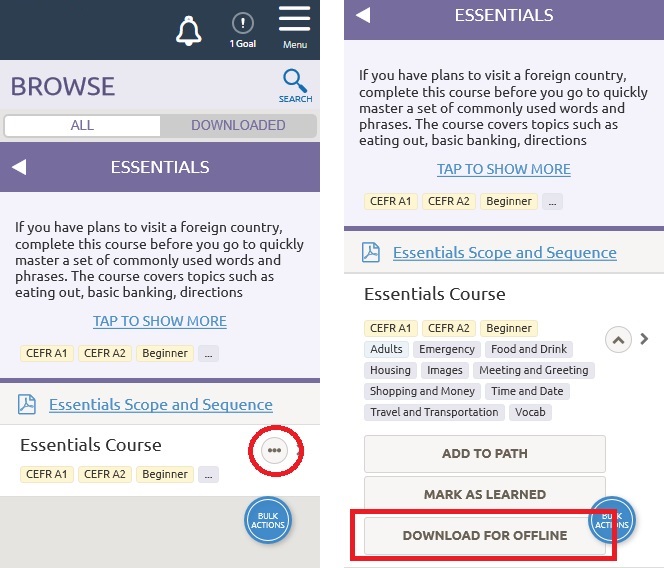
To download materials for offline use, open the Browse tab and select a course or lesson. Open the menu using the three dots icon and click the “Download for Offline” button. (Remember: You’ll need to be connected to the internet while downloading.)
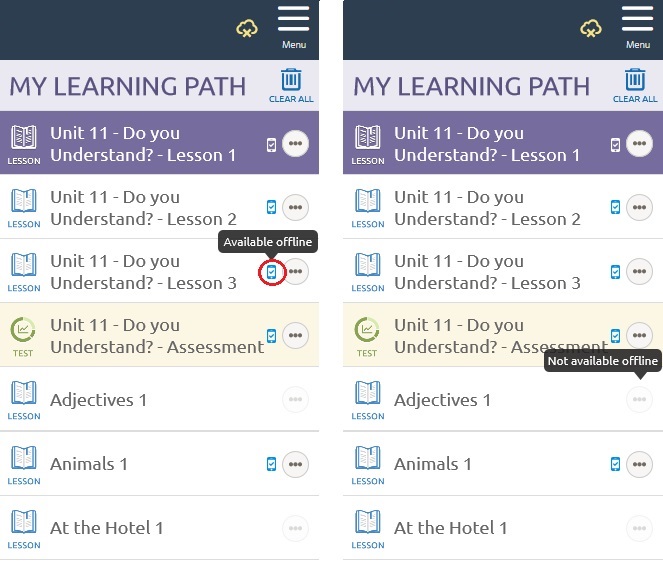
Next time you open the app offline, you’ll notice new icons on your Learning Path. Any lesson with a blue phone icon is now available for offline learning.
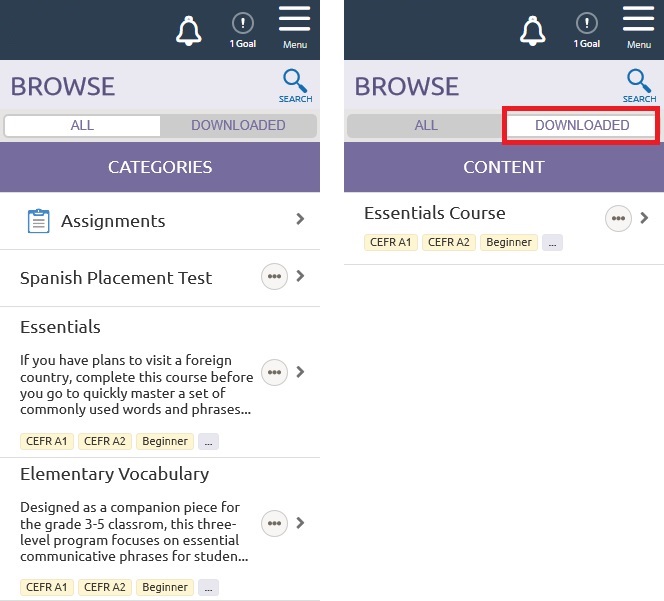
You can also easily filter for only your downloaded lessons (including those not on your Learning Path) in the Browse tab. Toggle on the “Downloaded” tab to see only lessons available offline.
Ready to start improving your language skills from anywhere? Download the Transparent Language Online app in the Apple app store and Google Play store.


